

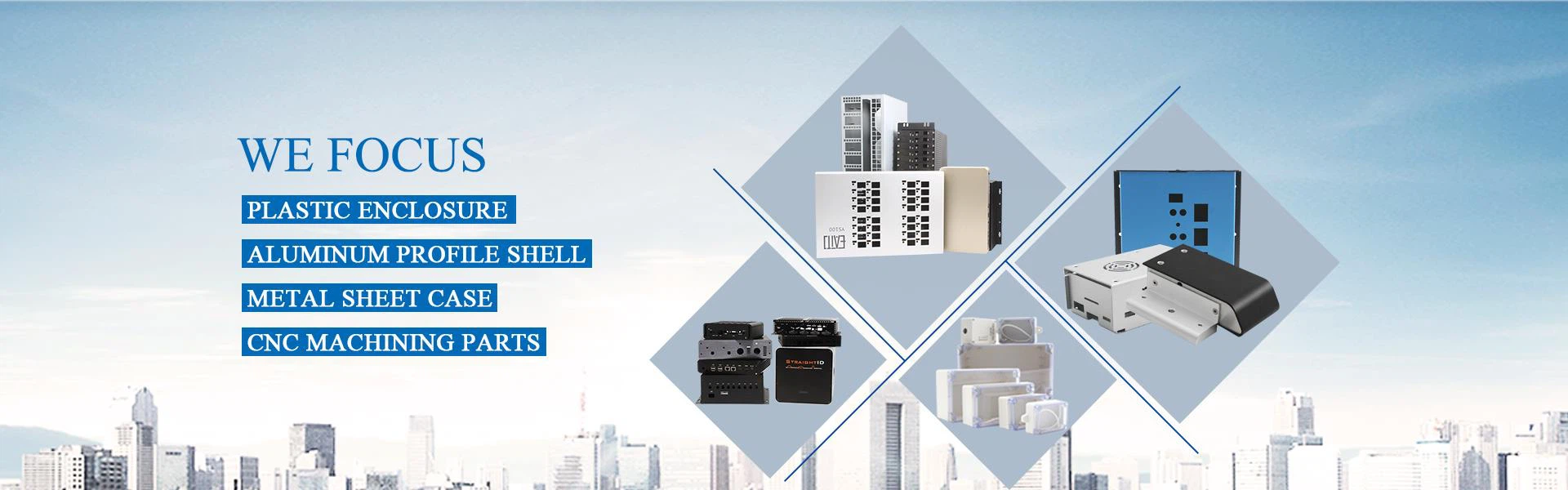
Desktop enclosures, also referred to as instrument enclosures, are designed to safeguard electronic equipment or other devices by enclosing them within a specialized housing. These enclosures are essential for protecting the devices from physical damage, dust, water, chemicals, and other contaminants in their environment. Many desktop enclosures come with IP40 and IP54 protection ratings. In environments where devices generate a lot of heat, it is crucial to use enclosures with proper air ventilation to prevent overheating.

Why Choose Us?
01
Rich Experience
Shenzhen Hongfa Shunda Mould Co.,Ltd is a manufacturer of plastic and hardware molds and enclosures,located in Shenzhen China,and have more than 20 years industry experience.
02
Complete Product Range
Our main products include: plastic injection molds,plastic enclosures,aluminum extruded box,sheet metal enclosures,die casting aluminum case,waterproof junction box,CNC milled parts etc.
03
Professional Team
With a team of professional engineers, we can design plastic moulds and all kinds of sheet metal enclosure structure. Professional sales team can service customers well.
04
Custom Service
The company supply OEM/ODM custom service for electronic enclosure,include design,drawing, cut holes,surface treatment,printing,packing etc.
-
![Custom plastic electronic enclosures]() Custom plastic electronic enclosuresQuick Detaials:view more
Custom plastic electronic enclosuresQuick Detaials:view more
1. Product name: Custom plastic electronic enclosures
2. Model No: HF-I-27
3. External size: 65(H)*180(W)*260(L)mm
4. Material: ABS or custom
5.... -
![Network Plastic WIFI ABS Box Enclosure]() Network Plastic WIFI ABS Box EnclosureThis is a Light Grey electronic shell made of ABS material. We are a factory have over 20 years experience in the product of electronic shell. We have excellent quality and competitive price. Hope...view more
Network Plastic WIFI ABS Box EnclosureThis is a Light Grey electronic shell made of ABS material. We are a factory have over 20 years experience in the product of electronic shell. We have excellent quality and competitive price. Hope...view more -
![Plastic Case For Instrument Device ABS Electrical Project Case]() Plastic Case For Instrument Device ABS Electrical Project...It is applicable to indoor and outdoor electrical device, communication, fire-fighting facilities, steel smelting, petrochemical, electronics, electric power, railway, construction site, mine,...view more
Plastic Case For Instrument Device ABS Electrical Project...It is applicable to indoor and outdoor electrical device, communication, fire-fighting facilities, steel smelting, petrochemical, electronics, electric power, railway, construction site, mine,...view more -
![Handheld Plastic Instrument Enclosure Plastic Case]() Handheld Plastic Instrument Enclosure Plastic CaseThis is a Light Grey electronic shell made of ABS material. We are a factory have over 20 years experience in the product of electronic shell. We have excellent quality and competitive price. Hope...view more
Handheld Plastic Instrument Enclosure Plastic CaseThis is a Light Grey electronic shell made of ABS material. We are a factory have over 20 years experience in the product of electronic shell. We have excellent quality and competitive price. Hope...view more -
![ABS Junction Box For Pcb Desktop Enclosure]() ABS Junction Box For Pcb Desktop EnclosureCombination desktop abs project box plastic electronic caseview more
ABS Junction Box For Pcb Desktop EnclosureCombination desktop abs project box plastic electronic caseview more -
![Desktop Plastic ABS Enclosure Project Box]() Desktop Plastic ABS Enclosure Project BoxThis is a Light Grey electronic shell made of ABS material. We are a factory have over 20 years experience in the product of electronic shell. We have excellent quality and competitive price. Hope...view more
Desktop Plastic ABS Enclosure Project BoxThis is a Light Grey electronic shell made of ABS material. We are a factory have over 20 years experience in the product of electronic shell. We have excellent quality and competitive price. Hope...view more -
![Desktop Control Box Case Plastic Enclosure]() Desktop Control Box Case Plastic EnclosureThis is a Light Grey electronic shell made of ABS material. We are a factory have over 20 years experience in the product of electronic shell. We have excellent quality and competitive price. Hope...view more
Desktop Control Box Case Plastic EnclosureThis is a Light Grey electronic shell made of ABS material. We are a factory have over 20 years experience in the product of electronic shell. We have excellent quality and competitive price. Hope...view more -
![Control Case ABS Plastic Enclosure Box]() Control Case ABS Plastic Enclosure BoxThis is a Light Grey electronic shell made of ABS material. We are a factory have over 20 years experience in the product of electronic shell. We have excellent quality and competitive price. Hope...view more
Control Case ABS Plastic Enclosure BoxThis is a Light Grey electronic shell made of ABS material. We are a factory have over 20 years experience in the product of electronic shell. We have excellent quality and competitive price. Hope...view more -
![Control Box Small Reader Enclosure Case]() Control Box Small Reader Enclosure CaseThis is a Light Grey electronic shell made of ABS material. We are a factory have over 20 years experience in the product of electronic shell. We have excellent quality and competitive price. Hope...view more
Control Box Small Reader Enclosure CaseThis is a Light Grey electronic shell made of ABS material. We are a factory have over 20 years experience in the product of electronic shell. We have excellent quality and competitive price. Hope...view more -
![Plastic Small Enclosure Box Project Case]() Plastic Small Enclosure Box Project CaseThis is a Light Grey electronic shell made of ABS material. We are a factory have over 20 years experience in the product of electronic shell. We have excellent quality and competitive price. Hope...view more
Plastic Small Enclosure Box Project CaseThis is a Light Grey electronic shell made of ABS material. We are a factory have over 20 years experience in the product of electronic shell. We have excellent quality and competitive price. Hope...view more -
![ABS Plastic Electronic Enclosure Desktop Box]() ABS Plastic Electronic Enclosure Desktop BoxThis is a Light Grey electronic shell made of ABS material. We are a factory have over 20 years experience in the product of electronic shell. We have excellent quality and competitive price. Hope...view more
ABS Plastic Electronic Enclosure Desktop BoxThis is a Light Grey electronic shell made of ABS material. We are a factory have over 20 years experience in the product of electronic shell. We have excellent quality and competitive price. Hope...view more -
![Desktop Junction Box Plastic ABS Case]() Desktop Junction Box Plastic ABS CaseThis is a Light Grey electronic shell made of ABS material. We are a factory have over 20 years experience in the product of electronic shell. We have excellent quality and competitive price. Hope...view more
Desktop Junction Box Plastic ABS CaseThis is a Light Grey electronic shell made of ABS material. We are a factory have over 20 years experience in the product of electronic shell. We have excellent quality and competitive price. Hope...view more


Common Plastics for Desktop Enclosures
Acrylonitrile Butadiene Styrene (ABS)
ABS is one of the toughest thermoplastic polymers. ABS plastic sheeting is a low-cost investment that provides a durable solution for heavy-duty needs.
Acrylonitrile Styrene Acrylester and Polycarbonate (ASA+PC Blend)
Combining Acrylonitrile Styrene Acrylester (ASA) with the thermoplastic Polycarbonate (PC) allows it to withstand various stresses and high temperatures.
Polyamide (PA)
Polyamides occur naturally in the proteins of wool and silk. Cable ties and power tool housings often use artificially-made polyamide plastics.
Polybutylene Terephthalate (PBT)
Plastic electrical enclosures with high-temperature applications often use PBT.
PBT is a thermoplastic polyester, commonly used in electrical engineering housings, automotive construction, and plug connectors.
Polycarbonate (PC)
Polycarbonate is in the polyester family and is a highly popular thermoplastic because of its strength and flexibility for applications where metal is not appropriate.
Polycarbonate + Acrylonitrile Butadiene Styrene (PC+ABS Blend)
Polycarbonate and Acrylonitrile Butadiene Styrene are some of the most commonly used plastics for electronic enclosures. A PC+ABS thermoplastic blend combines the positive qualities of both PC and ABS.
Polymethyl Methacrylate, Acrylic, Plexiglas (PMMA)
Polymethyl Methacrylate is also known as acrylic, plexiglass, or acrylic glass and by several trade names.
Acrylic is often used in electronic enclosures when the designer wants clear thermoplastic material without using polycarbonate. Because PMMA is infrared transparent, it's also perfect for optical and remote-control applications.
Polyphenylene Ether+Polystyrene (PPE+PS)
Polyphenylene Ester (PPE) and Polystyrene (PS) is a common blend.
PPE+PS has many electrical applications as plastic enclosures for electronics such as relays and housings for transformers.
Styrene Ethylene Butadiene Styrene (SEBS)
SEBS is a thermoplastic elastomer, which has an elasticity like rubber.
Because it is comfortable to the touch, SEBS is an excellent option for plastic electronic enclosures for handheld cases.
Ratings of the Desktop Enclosure
IP Rating
More formally known as the Ingress Protection Marking, IP Rating give the degree of resistance of the material against external factors such as dust and water. This rating is given by the credible organization called International Electrotechnical Commission.
An IP Rating is written in numbers and letters. The first digit indicates level of resistance against dust and other solids. For example if the first digit of the IP Rating is 6, this means that the desktop enclosure is dust proof. Anything less than 6 means that the enclosure is just dust resistant. Meanwhile the second digit indicates level of resistance against the intrusion of liquids where 1 is the lowest level and 9 is the highest. If a letter K is added after the second number on the IP Rating, this indicates that the enclosure can resist even intense water jets.
UL Rating
For desktop enclosures, UL Rating is given to ensure fire resistance.
ROHS
ROHS is not a rating but rather a compliance that is required for companies that use materials that may be susceptible to toxic metals such as lead and mercury.
EMI/RFI
This abbreviation stands for Electromagnetic Interference or Radio Frequency Interference which protects electronic gadgets from vulnerability and radio frequency jamming. Although not a requirement for all desktop enclosures, EMI/RFI is a good option for users that rely on radio receivers or radars in their business.
Commercial Applications for Desktop Enclosures
Office and retail
Commercial office and retail buildings are typically the least demanding applications for desktop enclosures. However, these applications still need basic protection against unauthorized access and accidental contact, and they also usually need desktop enclosures with more space than you'll find in standard residential boxes.
01
Warehouses and distribution centers
Most warehouses and distribution centers aren't subject to harsh environmental conditions, but they're demanding applications nonetheless. These facilities often use a lot of electricity to power lighting systems, climate control and other essentials. Commercial enclosures for warehouses and DCS need an impact-resistant build, enough space to accommodate large numbers of connections and often a UL 94 flame rating. Logistics applications like these May also need outdoor desktop enclosures for loading docks and other partially exposed locations.
02
Marine environments
Marine applications such as cargo ports, marinas or seafaring vessels are among the most demanding for any type of electrical component. Electrical connections in these areas have to withstand waves, wind, corrosive salt water and possibly even submersion.
03
Manufacturing facilities
The manufacturing industry requires extremely reliable and well-protected electrical systems. High voltage loads are often distributed through extremely complex systems across numerous branch circuits. Many manufacturing facilities also present hazards like flying debris and splashing water. All of these factors can add up to an extremely demanding set of conditions. Manufacturing is another sector in which a UL 94 flame rating is often required.
04
Medical facilities
Medical facilities also have large and complex electrical systems that require tough desktop enclosures. Reliability and ease of access are particularly important in medical applications, since an electrical failure can put lives in danger. Indoor desktop enclosures are common choices for medical facilities. However, many medical facilities are also part of large medical campuses with multi-building electrical systems.
05

There are some certain traits you can only find in desktop enclosures.
● It is a plastic enclosure
● It can house several wire connectors
● They have entry and exit points where the connecting wires enter or exit it
● Some have cable glands at the entry and exit points instead of just holes
● They come in different dimensions and sizes depending on their area of application
Proper installation is crucial to ensure the effectiveness of desktop enclosures:
Location: Place junction boxes at strategic points where electrical connections are required, ensuring they are easily accessible for maintenance.
Wiring: Follow electrical codes and guidelines when connecting wires within the junction box, ensuring a secure and reliable connection.
Sealing: Seal the box correctly to prevent moisture or dust from infiltrating, which can lead to short circuits or corrosion.
Sizing: Choose the right size of junction box to accommodate all the wires and connections without overcrowding.

When to Use a Desktop Enclosure
Desktop enclosures are essential for different applications:
Adding an electrical outlet in a new room or area of a building.
Extending wiring to power a ceiling fan or additional electrical appliances in a kitchen.
Installing a new wall switch to control lighting in a different part of a room.
Rearranging the layout of electrical outlets in an office space to accommodate new workstation setups.
Modifying the wiring configuration to accommodate the installation of a new HVAC system.
Upgrading the electrical layout in a home during a renovation project.
Connecting multiple solar panels to a central inverter in a solar power system.
Joining several data cables from different rooms to a central networking hub.
Combining various electrical circuits in an industrial setting to streamline power distribution.
Mounting a ceiling light fixture in a bedroom and connecting it to the existing electrical wiring.
Installing track lighting in a retail store and securely connecting each light head to the main power source.
Adding outdoor security lights to a home and ensuring safe electrical connections in exposed environments.
Placing a desktop enclosure with a hinged or removable cover in a concealed location for easy access to electrical connections.
Using desktop enclosures with transparent covers for visibility when inspecting or troubleshooting wiring.
Installing desktop enclosures in drop ceilings or behind access panels in commercial buildings to simplify maintenance tasks.
Materials
Desktop enclosures are made of either metal or plastic and each material has its pros and cons.
Metal boxes are strong, and fireproof, and must be used with metallic-sheathed wire to provide proper grounding. They are a little more complex to work with because they have knock-outs for clamps and tricky sharp edges.
Plastic or PVC boxes can be used indoors with non-metallic wires but not with metal conduit since there is no grounding provided. They are not as strong and can melt in a fire, but they are less expensive than metal boxes, are lightweight, and have built-in clamps. Plastic cannot be recessed in walls.
Sizes
The typical desktop enclosure size for residential use is a 4-inch square box, which is roomy enough for multiple wires and cables. Residential desktop enclosures come in other sizes, as well. These boxes are usually much smaller than a desktop enclosure used in a commercial setting which will have more connectors in one spot.
Covers
All desktop enclosures must be covered, installed correctly, and in compliance with the applicable building codes. The cover protects the wires, keeps out dirt and dust, and prevents moisture from getting inside the box. The cover also prevents any sparks from igniting combustible materials should arcing occur due to a loose connection or short circuit.
Safety first
Always turn off the main power before working with a desktop enclosure. It can sometimes be a guessing game to figure out which breaker switch controls the room you're working on and often several different branch circuits feed through a single desktop enclosure. Turning off the home's power eliminates any confusion and removes the risk of a potentially fatal situation.
Our Factory
Shenzhen Hongfa Shunda Mould Co.,Ltd is a manufacturer of plastic and hardware molds and enclosures,located in Shenzhen China,and have more than 20 years industry experience.
Mainly engaged in the design, production and sales of electronic enclosures, providing one-stop enclosure solutions for electronic products.
Our main products include: plastic injection molds,plastic enclosures,aluminum extruded box,sheet metal enclosures,die casting aluminum case,waterproof junction box,CNC milled parts etc.


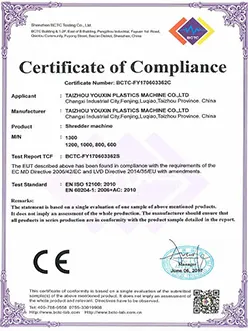
Our Certificate



FAQ
We're professional desktop enclosure manufacturers and suppliers in China, specialized in providing high quality custom service. We warmly welcome you to wholesale hot sale desktop enclosure at competitive price from our factory.
desktop enclosure manufacturer, metal desktop enclosure, steel desktop enclosure
