

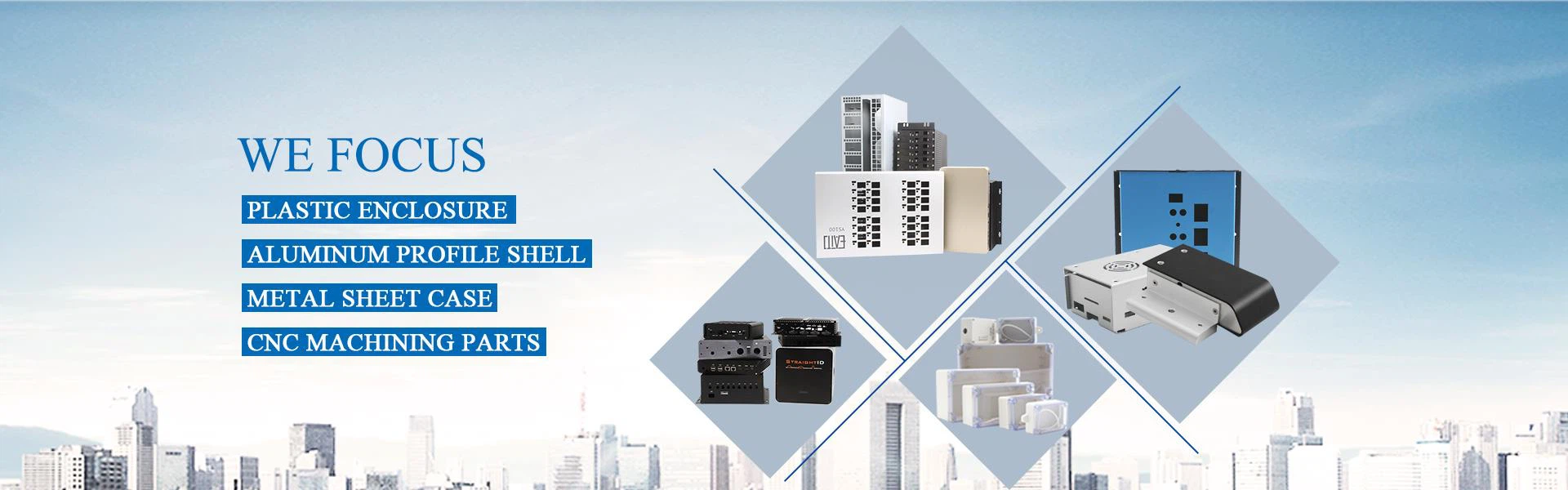
A Network Enclosure, also known as a network equipment cabinet or network enclosure, is essentially the same as a network rack. The terms "network cabinet" and "network rack" are often used interchangeably, and both refer to a specialized enclosure designed to house and organize networking equipment and related hardware in data centers, server rooms, network closets, or telecommunications facilities.

Why choose us
01
Our Factory
Hongfa Shunda, located in Shenzhen, China, has a 5,000 square meter production facility that includes plastic injection production lines and CNC milling production lines.
02
Production Equipment
The company has several production lines and pieces of equipment, including injection machines, CNC machines, bending machines, laser cutting machines, and punching machines.
03
Production Market
Our products are sold all over the world, especially in North America, Western Europe, Asia, and Oceania.
04
Our Services
The company provides OEM/ODM custom services for electronic enclosures, including design, drawing, hole cutting, surface treatment, printing, and packing.
-
![Injection ABS Plastic Enclosure Electronic Box]() Injection ABS Plastic Enclosure Electronic BoxThis is an injection abs plastic enclosure,with size 110*80*25mm,glossy surface,include black and white color.It is used for wifi router,smart home device etc.Can customize the cutouts,print logo etc.view more
Injection ABS Plastic Enclosure Electronic BoxThis is an injection abs plastic enclosure,with size 110*80*25mm,glossy surface,include black and white color.It is used for wifi router,smart home device etc.Can customize the cutouts,print logo etc.view more -
![Plastic Box For Electronic Network Project]() Plastic Box For Electronic Network ProjectQuick Details:view more
Plastic Box For Electronic Network ProjectQuick Details:view more
1. Model No: L-23
2. External Size: 40(H)*106(W)*140(L)mm
3. Material: ABS or custom
4. Color: Light grey
5. Weight: 104g
6. MOQ: 1PC
7.... -
![PCB Plastic Box Network Control Router Enclosure]() PCB Plastic Box Network Control Router EnclosureThis is a Light Grey electronic enclosure made of ABS material. it is mainly used for wireless router device,the connector holes can be customized.view more
PCB Plastic Box Network Control Router EnclosureThis is a Light Grey electronic enclosure made of ABS material. it is mainly used for wireless router device,the connector holes can be customized.view more -
![Network Plastic Electronics ABS Router Box]() Network Plastic Electronics ABS Router BoxNetwork plastic enclosures has unique design, beautiful appearance and smooth surface, which is suitable for various network cases, routers, audio equipment, etc.view more
Network Plastic Electronics ABS Router BoxNetwork plastic enclosures has unique design, beautiful appearance and smooth surface, which is suitable for various network cases, routers, audio equipment, etc.view more -
![Electronic Case ABS Network Plastic Enclosure]() Electronic Case ABS Network Plastic EnclosureThis is a network router plastic enclosure,mainly used for router or wifi case.view more
Electronic Case ABS Network Plastic EnclosureThis is a network router plastic enclosure,mainly used for router or wifi case.view more
Model No: HF-L-49
External Size: 25(H)*110(W)*80(L)mm
Material: ABS
Work Temperature:... -
![Plastic Wifi Router Enclosure Network Housing]() Plastic Wifi Router Enclosure Network Housingplastic wifi router enclosure network housing Suitable for electrical and electronic control equipment, ships, petrochemicals, large factories, coastal factories, dock water treatment...view more
Plastic Wifi Router Enclosure Network Housingplastic wifi router enclosure network housing Suitable for electrical and electronic control equipment, ships, petrochemicals, large factories, coastal factories, dock water treatment...view more -
![ABS Electronic Box Plastic Gas Sensor Enclosure]() ABS Electronic Box Plastic Gas Sensor EnclosureThis is a small gas detector with a plastic housing made of ABS material and with hanging holes on the back for wall mounting. This small gas detector has a plastic housing made from ABS material,...view more
ABS Electronic Box Plastic Gas Sensor EnclosureThis is a small gas detector with a plastic housing made of ABS material and with hanging holes on the back for wall mounting. This small gas detector has a plastic housing made from ABS material,...view more -
![ABS Electronics Enclosure Plastic Router Box]() ABS Electronics Enclosure Plastic Router BoxIt's a ABS Plastic enclosure,we accept custom service,such as cut holes,silkprint,painting etc.view more
ABS Electronics Enclosure Plastic Router BoxIt's a ABS Plastic enclosure,we accept custom service,such as cut holes,silkprint,painting etc.view more


What is the use of Network Enclosure?
Equipment Organization: Network Enclosure provide a structured and standardized environment for organizing and mounting various networking components, such as servers, switches, routers, patch panels, power distribution units (PDUs), and cable management systems. This arrangement helps keep the equipment neatly organized, making it easier to access, manage, and troubleshoot.
Space Efficiency: Network Enclosure are designed to maximize the utilization of space in a room. By vertically stacking equipment, they allow for efficient use of limited floor space. Racks come in various heights (measured in rack units or "U"), typically ranging from 1U to 48U or even higher.
Cable Management: A network rack includes cable management features like cable trays, slots, and routing options. These help organize and route network cables neatly, reducing cable clutter and improving airflow within the rack. Proper cable management promotes better cooling, enhances maintenance, and reduces the risk of accidental disconnections.
Cooling and Ventilation: Network Enclosure often feature perforated doors, side panels, and adjustable mounting rails to facilitate proper airflow and cooling. Adequate ventilation helps dissipate heat generated by the equipment, preventing overheating and ensuring optimal performance and longevity of the devices.
Security and Access Control: Many Network Enclosure have lockable doors and side panels to provide physical security for valuable networking equipment and sensitive data. Restricted access ensures that only authorized personnel can access the equipment, reducing the risk of tampering or theft.
Scalability and Flexibility: Network Enclosure are designed to accommodate future growth and changing technology needs. They offer flexibility for adding or removing equipment as required, allowing for easy scalability and minimizing disruption to the overall network infrastructure.
Maintenance and Troubleshooting: A well-organized network rack simplifies maintenance tasks and troubleshooting procedures. Equipment is easily identifiable, accessible, and labeled, reducing downtime and improving efficiency when replacing or repairing components.
Types of Network Enclosure
There are several different types of Network Enclosure that are suited for different environments.
Open frame racks
Network Enclosure consist of just a frame without any sides or doors. They are ideal for environments where easy access to equipment and good airflow are priorities such as small server rooms or networking closets.
01
Enclosed racks
Network Enclosure come with side panels and doors, providing physical security and dust protection for the equipment. Enclosed racks often include features like lockable doors and cable management systems, and they are suitable for larger data centers or environments where security is a concern.
02
Wall-mount racks
These are designed to be mounted directly onto walls, saving floor space. They are typically used in small offices, retail spaces, or areas where floor space is limited. Wall-mount racks come in various sizes to accommodate different equipment requirements.
03
Cabinet racks
These are similar to enclosed racks, but generally taller and offer more space for equipment. Cabinet racks may include features like adjustable mounting rails, ventilation fans, and cable management options. They are often used in large data centers or enterprise-level networking environments.
04
Portable racks
Network Enclosure are designed for mobility and ease of transportation. They are often used for temporary setups, such as during events or for on-site troubleshooting. Portable racks may come in lightweight materials and feature handles or wheels for easy movement.
05
How do Network Enclosure work?


Equipment Mounting: Network Enclosure have vertical mounting rails inside the enclosure. These rails are spaced in rack units (U), where each U equals 1.75 inches (44.45 mm) of vertical space. Network administrators or IT professionals mount servers, switches, routers, and other networking equipment onto these rails. The equipment is typically secured using screws or mounting brackets.
Cable Management: Network Enclosure include cable management features, such as cable trays, cable channels, and cable rings, to help organize and route network and power cables neatly. Proper cable management is crucial to prevent cable tangling and ensure easy access to equipment.
Ventilation and Cooling: Many Network Enclosure come with built-in ventilation options to help maintain the appropriate temperature inside the enclosure. These options may include fans, perforated doors, or vents. Proper cooling is essential to prevent equipment from overheating and maintaining optimal performance.
Security: Network Enclosure are designed with security in mind. They often feature locking mechanisms, such as key locks or combination locks, on front and rear doors to prevent unauthorized access to the equipment. This enhances the security of sensitive data and hardware.
Accessibility: Front and rear doors on Network Enclosure provide physical protection for the equipment inside while still allowing authorized personnel to access the hardware. The doors may have perforated sections to maintain adequate airflow while maintaining security.
Monitoring and Management: Some advanced Network Enclosure may include monitoring and management features. These cabinets can integrate environmental sensors to monitor temperature and humidity, as well as power distribution units (PDUs) for remote power management and monitoring.

Network Enclosure are essential in various scenarios, including:
Data Centers: Where a large number of servers and networking devices need centralized and secure housing.
Office Buildings: For managing the network that supports multiple workstations, printers, and other office devices.
Retail and Hospitality Sectors: To manage the network infrastructure supporting point-of-sale systems, Wi-Fi routers, and security systems.
Educational Institutions and Libraries: Where Network Enclosure organize the hardware that supports computer labs, online resources, and digital archives.
Home Networks: Especially in smart homes or for individuals with a home-based professional setup requiring robust network management.
Choosing the right network cabinet size can be challenging, especially if you’re unfamiliar with the options. Understanding key variables will help you find the best fit.
Network Enclosure Height
The height of a network cabinet is a primary factor in size selection. Racks are often described by height, such as 42U or 48U. Here, “U” stands for “rack units,” with each unit equaling 1.75 inches. Common heights in data centers are 42U, 45U, or 48U. In high-density environments, heights can be customized up to 58U.
Network Enclosure Depth
Depth is crucial for accommodating equipment. Network cabinet depth varies from 0 to 50 inches, with 24 inches and 48 inches being most common. Greater depth supports cable management and accessories, and is essential for housing network switches from brands like Dell and Cisco. Wall-mounted racks can be shallower to save space.
Network Enclosure Width
A 19-inch width is standard for network cabinets, matching the size of many servers and patch panels. The typical exterior width is 24 inches, but extra-wide cabinets are available for additional IT equipment, power distribution units (PDUs), and cabling, ensuring sufficient airflow.

Common Components Housed in Network Enclosure
Routers
Directs data traffic across networks.
Switches
Connects multiple devices on the same network within a data center or office.
Patch Panels
Consolidates network connections for better organization and flexibility.
Cabling
Includes fiber optic cables, Ethernet cables, and power cables, all meticulously organized.
Practical Steps for Designing Networking Enclosures
Beat the heat. The more servers used, the more heat generated. While networks consisting of just a few servers can be housed in standard cabinets and enclosures, systems with multiple or densely packed servers should be housed in special server racks. Such racks include perforations or ventilation slots on the front, sides, rear and top to promote maximum airflow around components.
To increase airflow, the enclosure should incorporate fans and blowers at strategic locations. Exhaust fans mounted at the top of the cabinet are most common and are very efficient in removing heat. However, if the cabinet is densely packed with servers and other equipment, the air flow path gets blocked and this creates back pressure inside the cabinet. Such back pressure will lower the performance (CFM capacity) of the fans. For such conditions, blowers should be used in addition to exhaust fans. Blowers are generally mounted at the bottom of the cabinet rack and blow cold ambient air into the cabinet. Fan tray assemblies can be mounted directly below critical components to direct airflow against local hot spots and to prevent hot air from being trapped within the enclosure.
Plan for the environment. Local conditions may dictate the use of specially designed racks and enclosures.
For office settings, open racks are often sufficient. These racks are typically located in a separate room, and do not need protection from water or dust. The open rack configuration provides maximum airflow around components and costs less than a fully enclosed cabinet rack.
Provide easy access. Despite all best efforts, components do occasionally fail. In addition, networks often must be reconfigured to provide more capacity. Thus, the enclosure should be designed for easy access to the interior by incorporating removable doors, side panels and backs Plan for assembly and mounting. The most time-consuming part of building a rack assembly is mounting the components. Some vendors ease this task and speed assembly by supplying equipment mounting rails with pre-tapped holes. In addition, some servers require special adapters and mounting rails, so care must be taken to ensure that the servers fit the racks being considered.
Plan cable management. Un organized cables can significantly increase the time required to assemble equipment and make repairs. There fore, the enclosure should include cable management accessories. These parts not only simplify routing and repair, but also provide a neat, orderly appearance.
Ask about custom and pre-assembled enclosures. Most vendors offer these modifications at little or no extra cost. Pre-assembly at the factory can provide a more cost-effective solution than standard enclosures.
Ask about design support. Work with a vendor who will accept your drawings and recommend cost-saving alternatives. In addition, choose vendors that offer a broad range of enclosure types and sizes, and accessories, so you can more exactly match your needs.
Mind when designing and specifying enclosures to house servers and other sensitive electronic components will not only extend the life of your equipment, it will also make it much simpler to maintain.
How to Set up a Network Enclosure
This section outlines the process of setting up a server rack. Follow the steps below:

Step 1: Adjust Rack Depth
Many server racks have adjustable depth that fits a wide range of equipment. The depth is adjusted with a sliding mechanism that allows users to get an exact fit for their equipment.
Identify the outer rail and rear bracket. The outer rail has holes, and the rear bracket has a slit that flat head screws can be threaded to. To adjust rack depth, slide the rear bracket across the outer rail bracket or shelf until it matches the depth of the mounting equipment.
Step 2: Mount Server Rails
Mount the server rails and shelves after adjusting the depth. The instructions for mounting the rails depend on the type of rack in use, the mounting mechanism, and the hole type. Some manufacturers create rails that connect to the rack using only clips, while others make holes on a metal flange, which requires cage nuts.
For example, racks with square holes use cage nuts to tighten the rails. Distribute the rails according to the height of the equipment. 1U (one rack unit) is usually three holes. Tighten everything to make sure it holds the weight of the equipment.


Step 3: Attach Inner Rails to Equipment
Attach the inner rails to the servers and other mounting equipment. The easiest way is to place the hardware on a flat surface and attach the inner rails to the server using the screws supplied in the kit.
Make sure to secure each rail with bolts and check if they are firmly attached, since they support the device's weight. The inner rails slide into the rails on the rack and lock the equipment in place when it slides in. The image below shows what the server should look like with the rails mounted:
Step 4: Slide Server Into Rack
After attaching the rails to the equipment, extend them completely until they are fixed. Line up the inner rails installed on the equipment with the outer rails mounted on the rack and slide in the hardware.
Make sure to push the server all the way in, but do not force it. Also, make sure the rack does not tip over and that it is firmly anchored. Secure the hardware to the rack with mounting brackets, located at the sides of the rack.

Our Factory
Shenzhen Hongfa Shunda Mould Co.,Ltd is a manufacturer of plastic and hardware molds and enclosures,located in Shenzhen China,and have more than 20 years industry experience.
Mainly engaged in the design, production and sales of electronic enclosures, providing one-stop enclosure solutions for electronic products.
Our main products include: plastic injection molds,plastic enclosures,aluminum extruded box,sheet metal enclosures,die casting aluminum case,waterproof junction box,CNC milled parts etc.


FAQ
We're professional network enclosure manufacturers and suppliers in China, specialized in providing high quality custom service. We warmly welcome you to wholesale hot sale network enclosure at competitive price from our factory.
resistive touch plastic enclosure, cellular plastic enclosure, rfid plastic enclosure
