


Hey there! If you're looking to install a router in a 4U rack case, you've come to the right place. I'm with a 4U rack case supplier, and I've got some solid tips to share with you on how to get this job done right.
First things first, let's talk about what a 4U rack case is. A 4U rack case is a type of enclosure that's designed to fit into a standard rack system. The "4U" part refers to the height of the case, which is about 7 inches (17.78 cm). These cases are commonly used in data centers, server rooms, and other professional settings where you need to organize and protect your equipment.
Now, let's dive into the steps of installing a router in a 4U rack case.
Step 1: Gather Your Tools and Materials
Before you start the installation process, you'll need to gather all the necessary tools and materials. Here's a list of what you'll typically need:
- A 4U rack case. We offer a variety of high - quality 4U rack cases that are built to last. You can check out our Aluminum Motherboard Rack Mount Server Computer Case for a great option.
- A router that fits the dimensions of the 4U rack case. Make sure to measure the available space in the case and the router's dimensions to ensure a proper fit.
- Screwdrivers (both Phillips and flat - head, depending on the type of screws used).
- Rack - mounting hardware, such as cage nuts and screws. These are used to secure the router to the rack case.
- Ethernet cables to connect the router to other devices.
- A power cable for the router.
Step 2: Prepare the 4U Rack Case
Once you have all your tools and materials ready, it's time to prepare the 4U rack case. Start by placing the case on a stable surface. If the case has a removable front or rear panel, take them off. This will give you better access to the interior of the case.
Next, locate the mounting holes on the sides of the case. These are where you'll attach the router. If the case uses cage nuts, insert them into the appropriate holes on the sides of the rack. Cage nuts are small, spring - loaded nuts that fit into the holes and provide a secure place to screw in the mounting screws.
Step 3: Mount the Router
Now it's time to mount the router in the 4U rack case. Carefully lift the router and align it with the mounting holes on the sides of the case. Make sure the router is level and straight.
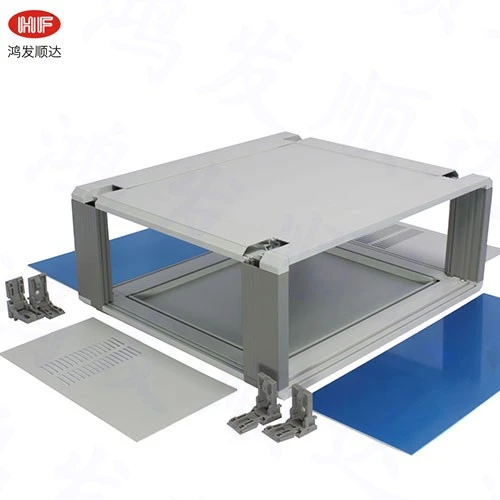

Take your mounting screws and insert them through the holes in the router's mounting brackets and into the cage nuts on the rack case. Use a screwdriver to tighten the screws, but be careful not to overtighten them. Overtightening can damage the router or the rack case.
Step 4: Connect the Cables
After the router is securely mounted in the rack case, it's time to connect the cables. Start by connecting the power cable to the router. Plug the other end of the power cable into a power source, such as a power strip or a UPS (Uninterruptible Power Supply).
Next, connect the Ethernet cables. You'll typically connect one Ethernet cable from the router's WAN (Wide Area Network) port to your internet source, such as a modem. Then, connect other Ethernet cables from the router's LAN (Local Area Network) ports to the devices on your local network, like computers, printers, and smart TVs.
Step 5: Secure the Cables
Once all the cables are connected, it's important to secure them. You don't want loose cables getting in the way or causing a tripping hazard. You can use cable ties or Velcro straps to bundle the cables together and attach them to the sides of the rack case. This will keep the cables organized and make it easier to manage them in the future.
Step 6: Test the Router
After you've completed the installation and cable connections, it's time to test the router. Turn on the power to the router and wait for it to boot up. You can then try connecting a device to the router's Wi - Fi network or through an Ethernet cable. Open a web browser on the device and try accessing a website. If you can access the website, then the router is working properly.
Tips and Tricks
- Cable Management: Good cable management is crucial in a rack case. It not only makes the setup look neat but also helps with ventilation and troubleshooting. Consider using cable management accessories like cable trays and clips.
- Ventilation: Routers generate heat, so it's important to ensure proper ventilation in the 4U rack case. Make sure the case has adequate ventilation holes, and avoid blocking them with cables or other equipment.
- Labeling: Label all the cables and ports. This will make it much easier to identify and troubleshoot any issues in the future.
Why Choose Our 4U Rack Cases?
We're a leading supplier of 4U rack cases, and there are several reasons why you should choose our products. Our cases are made from high - quality materials, such as Aluminum Enclosure Control Case Power Supply and Aluminum Chassis Case Metal Power Box. They are durable, lightweight, and offer excellent protection for your equipment.
We also offer a wide range of customization options. Whether you need a specific color, size, or additional features, we can work with you to meet your requirements. Our team of experts is always available to provide you with technical support and advice.
If you're interested in purchasing our 4U rack cases or have any questions about the installation process, don't hesitate to get in touch. We're here to help you make the right choice for your needs. Contact us today to start the procurement discussion, and let's work together to find the perfect solution for your router installation.
References
- General knowledge on rack - mounting equipment and router installation.
- Industry standards for rack - case design and construction.


