


As a seasoned provider of network enclosures, I've witnessed firsthand the critical role that proper stacking rules play in the efficient and safe operation of network equipment. In this blog post, I'll delve into the essential stacking rules for network enclosures, offering insights and best practices based on my years of experience in the industry.
Understanding the Basics of Network Enclosure Stacking
Before we dive into the specific stacking rules, it's important to understand the fundamental principles behind network enclosure stacking. Network enclosures are designed to house and protect network equipment, such as routers, switches, and servers. Stacking these enclosures allows for efficient use of space, simplifies cable management, and enhances the overall organization of the network infrastructure.
However, improper stacking can lead to a range of issues, including overheating, poor ventilation, and physical damage to the enclosures and the equipment they house. Therefore, it's crucial to follow the recommended stacking rules to ensure the optimal performance and longevity of your network equipment.
Weight Distribution and Load Capacity
One of the most important factors to consider when stacking network enclosures is weight distribution and load capacity. Each enclosure has a specific weight limit, which is determined by its design, materials, and construction. Exceeding this weight limit can cause the enclosure to become unstable, leading to potential damage or collapse.
When stacking enclosures, it's essential to distribute the weight evenly across the stack. This can be achieved by placing heavier enclosures at the bottom of the stack and lighter enclosures at the top. Additionally, it's important to ensure that the load is evenly distributed within each enclosure, as uneven weight distribution can also cause instability.
Before stacking enclosures, it's also important to check the load capacity of the rack or cabinet where the enclosures will be installed. The rack or cabinet should be able to support the combined weight of all the enclosures, as well as the weight of the equipment inside the enclosures. If the load capacity of the rack or cabinet is exceeded, it can cause the rack or cabinet to become unstable, leading to potential damage or collapse.
Ventilation and Cooling
Proper ventilation and cooling are essential for the optimal performance and longevity of network equipment. Network equipment generates heat during operation, and if this heat is not dissipated effectively, it can cause the equipment to overheat, leading to reduced performance, increased downtime, and potential damage to the equipment.
When stacking network enclosures, it's important to ensure that there is adequate ventilation and cooling for each enclosure. This can be achieved by leaving sufficient space between the enclosures to allow for air circulation. Additionally, it's important to ensure that the enclosures are installed in a well-ventilated area, away from sources of heat and humidity.
Some network enclosures are designed with built-in ventilation and cooling features, such as fans and vents. These features can help to improve the airflow within the enclosure and dissipate heat more effectively. When selecting network enclosures, it's important to consider the ventilation and cooling requirements of your network equipment and choose enclosures that are designed to meet these requirements.
Cable Management
Proper cable management is another important factor to consider when stacking network enclosures. Network equipment requires a large number of cables for power, data, and communication, and if these cables are not managed properly, they can become tangled, leading to reduced performance, increased downtime, and potential damage to the cables and the equipment.
When stacking network enclosures, it's important to ensure that there is adequate space for cable management. This can be achieved by leaving sufficient space between the enclosures to allow for cable routing and by using cable management accessories, such as cable trays, cable ties, and cable organizers.
Additionally, it's important to label the cables to make it easier to identify and troubleshoot any issues that may arise. This can be done using cable labels, cable markers, or a combination of both.
Physical Protection
Network enclosures are designed to protect the network equipment from physical damage, such as impact, vibration, and dust. When stacking network enclosures, it's important to ensure that the enclosures are installed in a secure and stable manner to prevent them from being knocked over or damaged.
Additionally, it's important to ensure that the enclosures are protected from environmental factors, such as moisture, humidity, and temperature fluctuations. This can be achieved by installing the enclosures in a climate-controlled environment or by using enclosures that are designed to be weatherproof and dustproof.
Compatibility and Interoperability
When stacking network enclosures, it's important to ensure that the enclosures are compatible and interoperable with each other and with the network equipment that they will be housing. This can be achieved by selecting enclosures that are designed to work together and by ensuring that the enclosures are compatible with the network equipment in terms of size, shape, and connectivity.
Additionally, it's important to ensure that the enclosures are compatible with the rack or cabinet where they will be installed. This can be achieved by selecting enclosures that are designed to fit the specific rack or cabinet and by ensuring that the enclosures are installed in the correct orientation and position.
Recommended Stacking Configurations
Based on my years of experience in the industry, I recommend the following stacking configurations for network enclosures:
- Single-Stack Configuration: In a single-stack configuration, the enclosures are stacked vertically on top of each other. This configuration is ideal for small to medium-sized networks where space is limited.
- Double-Stack Configuration: In a double-stack configuration, the enclosures are stacked in two columns, with each column containing multiple enclosures. This configuration is ideal for larger networks where more space is required.
- Multi-Stack Configuration: In a multi-stack configuration, the enclosures are stacked in multiple columns and rows, with each column and row containing multiple enclosures. This configuration is ideal for very large networks where a large amount of space is required.
Conclusion
Proper stacking rules are essential for the efficient and safe operation of network equipment. By following the recommended stacking rules, you can ensure that your network enclosures are installed in a secure and stable manner, that there is adequate ventilation and cooling for each enclosure, that the cables are managed properly, and that the enclosures are protected from physical damage and environmental factors.
As a leading provider of network enclosures, we offer a wide range of high-quality enclosures that are designed to meet the specific needs of your network. Our enclosures are available in a variety of sizes, shapes, and materials, and they are designed to be compatible with a wide range of network equipment.
If you're interested in learning more about our network enclosures or if you have any questions about stacking rules or other aspects of network enclosure installation and maintenance, please don't hesitate to contact us. We'd be happy to help you find the right enclosures for your network and to provide you with the support and guidance you need to ensure the optimal performance and longevity of your network equipment.

Product Recommendations
- ABS Electronics Enclosure Plastic Router Box: This high-quality plastic enclosure is designed to house routers and other network equipment. It features a durable ABS construction, built-in ventilation, and a secure locking mechanism.
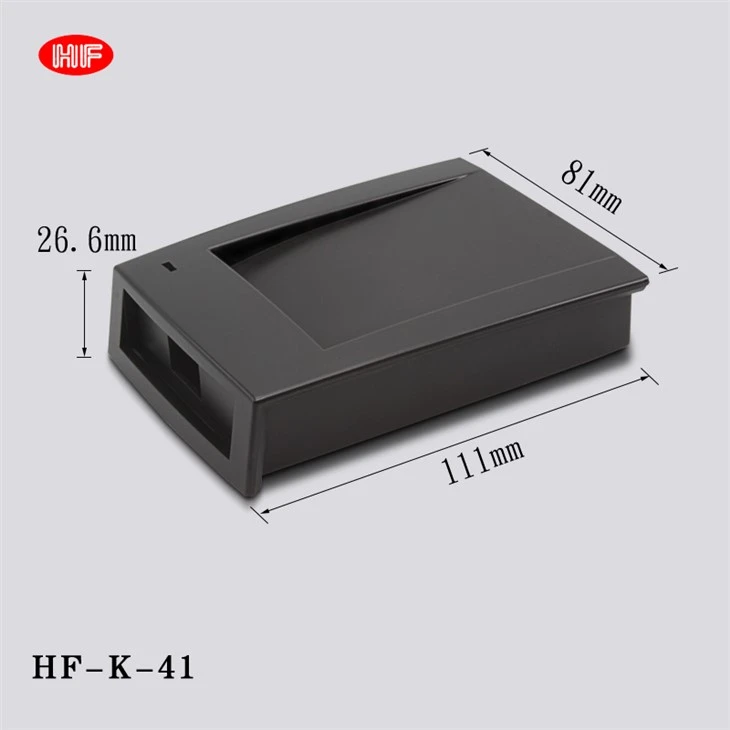
- Abs Material Small Size Can Be Customized Card Reader: This compact and customizable enclosure is ideal for housing card readers and other small network devices. It features a lightweight ABS construction, a removable cover, and a variety of mounting options.
- ABS Electronic Box Plastic Gas Sensor Housing: This rugged and reliable enclosure is designed to protect gas sensors and other electronic devices from harsh environments. It features a weatherproof ABS construction, a sealed design, and a variety of cable entry options.
References
- "Network Enclosure Installation and Maintenance Guide," published by the Institute of Electrical and Electronics Engineers (IEEE).
- "Best Practices for Network Enclosure Stacking," published by the Network Equipment Builders Association (NEBA).
- "Cable Management for Network Enclosures," published by the Telecommunications Industry Association (TIA).


