


When considering using a rack server case as a media server, there are several important factors to take into account. As a rack server case supplier, I understand the intricacies involved in this decision and can provide valuable insights based on industry knowledge and experience.
Physical Dimensions and Space Requirements
One of the primary considerations is the physical size of the rack server case. Rack servers come in various standard sizes, typically measured in rack units (U). A single rack unit is equal to 1.75 inches (44.45 mm) in height. The most common rack server sizes are 1U, 2U, 3U, and 4U. When using a rack server case as a media server, you need to ensure that it fits into your available space. If you have a small home entertainment setup, a 1U or 2U rack server case might be sufficient. However, if you plan to expand your media collection or add more components in the future, a larger 3U or 4U case could be a better choice.
Another aspect related to physical dimensions is the depth of the rack server case. Some media server components, such as hard drives and optical drives, require a certain amount of depth to be installed properly. Make sure the case you choose has enough depth to accommodate all the components you plan to use. Additionally, consider the space around the rack for ventilation. Adequate airflow is crucial to prevent overheating, which can damage the components and reduce the lifespan of the media server.
Cooling and Ventilation
Cooling is a critical factor when using a rack server case as a media server. Media servers often run continuously, processing and streaming large amounts of data. This generates heat, and if not properly managed, it can lead to performance issues and hardware failures. Rack server cases are designed with ventilation in mind, but you need to ensure that the case has sufficient cooling capacity for your specific media server setup.
Most rack server cases come with built - in fans to circulate air and dissipate heat. The number and size of the fans can vary depending on the case model. Some high - end cases may also have advanced cooling features, such as liquid cooling systems. When choosing a rack server case, consider the heat output of your media server components. For example, if you are using a powerful processor or multiple hard drives, you will need a case with more efficient cooling.
In addition to the built - in fans, you can also consider adding aftermarket cooling solutions, such as additional fans or heat sinks. Make sure the case has enough space to accommodate these additional cooling components. Also, pay attention to the location of the ventilation holes in the case. They should be strategically placed to allow for proper airflow, drawing in cool air from the front and expelling hot air from the back.
Power Supply
The power supply is another important consideration. Media servers require a stable and sufficient power source to operate reliably. When using a rack server case, you need to ensure that the power supply unit (PSU) in the case can handle the power requirements of all your media server components.
The power consumption of media server components can vary significantly. For example, a high - end graphics card or a large number of hard drives can consume a lot of power. Calculate the total power requirements of your components and choose a rack server case with a PSU that has a higher wattage rating than your estimated power consumption. This will provide a buffer and ensure that the power supply is not overloaded.
Most rack server cases come with a standard power supply, but you may need to upgrade it depending on your specific needs. When upgrading the PSU, make sure it is compatible with the case and the other components in your media server. Also, consider the efficiency of the power supply. A more efficient PSU will consume less power and generate less heat, which is beneficial for both energy savings and cooling.
Component Compatibility
Ensuring component compatibility is essential when using a rack server case as a media server. Different rack server cases have different form factors and mounting options, which may limit the types of components you can use.
First, consider the motherboard. The rack server case should be compatible with the form factor of your motherboard, such as ATX, micro - ATX, or mini - ITX. Check the case specifications to see if it has the appropriate mounting holes and space for the motherboard. Additionally, make sure the case has enough expansion slots for any additional cards you may want to install, such as network cards or video cards.
Hard drives are another critical component in a media server. Rack server cases typically have dedicated drive bays for installing hard drives. Make sure the case has enough drive bays to accommodate your current and future storage needs. Also, check the type of drive bays (e.g., 3.5 - inch or 2.5 - inch) and ensure they are compatible with the hard drives you plan to use.
Other components, such as optical drives, memory modules, and CPU coolers, also need to be compatible with the rack server case. Before purchasing a case, carefully review the specifications of all your components and compare them with the case's compatibility requirements.
Expandability
As your media collection grows and your media server requirements change, you may need to expand your server in the future. Therefore, expandability is an important consideration when choosing a rack server case.
Look for a case that has additional drive bays, expansion slots, and space for adding new components. Some rack server cases are designed with modularity in mind, allowing you to easily add or remove components as needed. For example, you may want to add more hard drives to increase storage capacity or install a new graphics card to enhance video playback capabilities.
In addition to physical expandability, also consider the case's ability to support future technological advancements. For instance, if you anticipate using new types of storage devices or networking technologies in the future, make sure the case has the flexibility to accommodate these changes.
Noise Level
Media servers are often located in living areas or near where people spend a lot of time. Therefore, the noise level of the rack server case is an important consideration. The fans and other components in the case can generate noise, which can be a nuisance if it is too loud.
When choosing a rack server case, look for models that are designed to operate quietly. Some cases use low - noise fans or have noise - dampening materials to reduce the overall noise level. You can also consider using aftermarket silent fans or fan controllers to further reduce noise.
Cost
Cost is always a factor when making any purchase decision. Rack server cases can vary significantly in price depending on their features, size, and quality. When using a rack server case as a media server, you need to balance your budget with your requirements.
If you have a limited budget, you may need to compromise on some features, such as advanced cooling or expandability. However, it is important not to sacrifice too much in terms of quality, as a low - quality case may lead to performance issues and hardware failures in the long run.
Our Product Offerings
As a rack server case supplier, we offer a wide range of high - quality rack server cases that are suitable for use as media servers. Our cases are designed with the latest technology and industry standards in mind, ensuring optimal performance, reliability, and expandability.
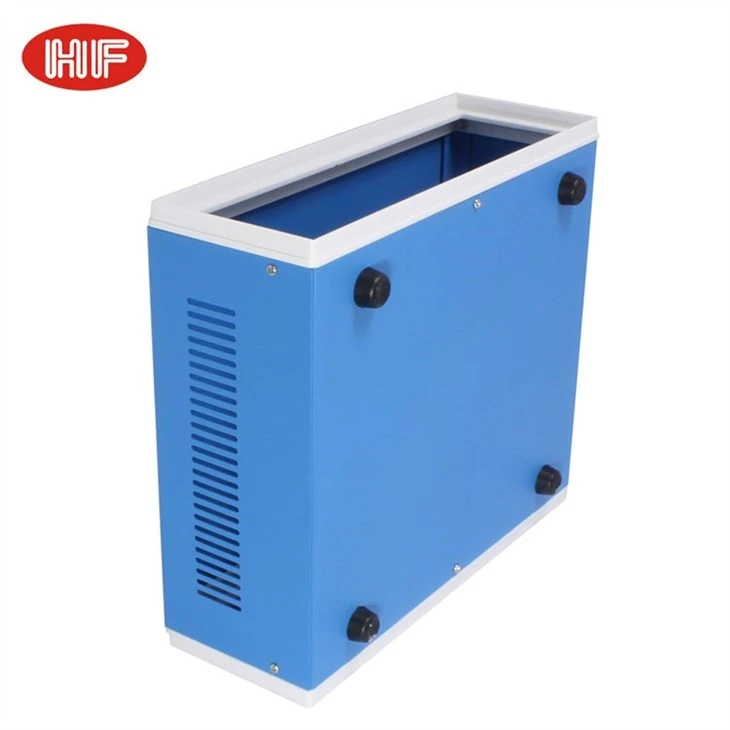
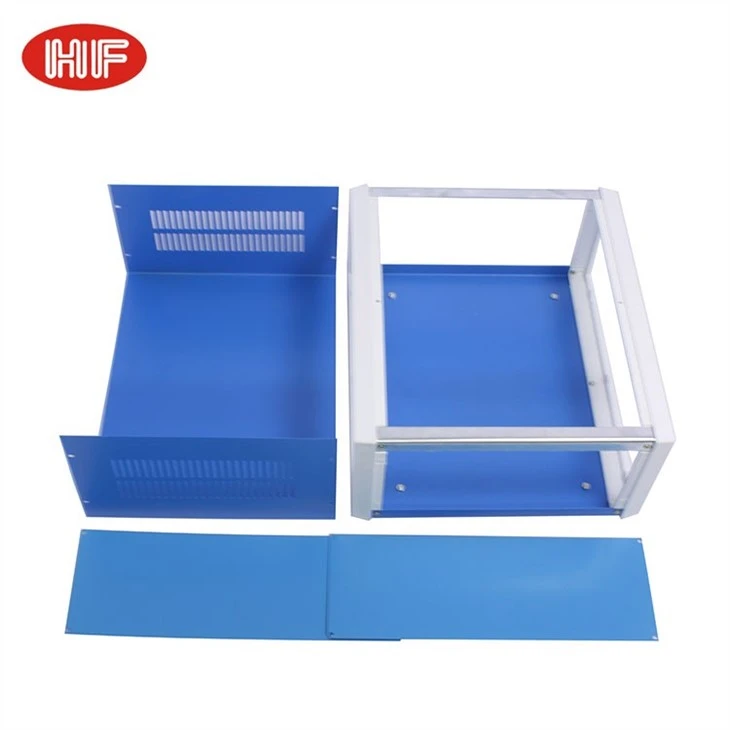
We have Electronic Iron Metal Project Box With Plastic Frame, which combines the durability of metal with the flexibility of plastic. This case is available in various sizes and configurations, making it suitable for different media server setups.
Our Electronic Instrument Cabinet Housing Chassis Box Sheet Metal Enclosures are designed for more demanding applications. They offer excellent cooling and ventilation, as well as a high degree of component compatibility.
For those looking for a lightweight and corrosion - resistant option, our Factory Suppliers Aluminum Extruded Electronic Housing Electronic Devices are a great choice. These cases are easy to install and provide ample space for all your media server components.
Contact Us for Purchase and Negotiation
If you are interested in using our rack server cases for your media server, we invite you to contact us for purchase and negotiation. Our team of experts is ready to assist you in choosing the right case for your specific needs. We can provide detailed product information, answer your questions, and offer competitive pricing. Whether you are a home user or a business looking to set up a media server, we have the solutions to meet your requirements.
References
- Andrews, T. (2020). Server Hardware Basics. Tech Publications.
- Brown, J. (2019). Cooling Solutions for Data Centers. IT Journal.
- Clark, R. (2021). Component Compatibility in Server Design. Server World Magazine.


