


Ensuring the proper alignment of servers in a 1U server rack is crucial for the efficient operation and longevity of your server infrastructure. As a reputable 1U Server Rack supplier, we understand the challenges and importance of this task. In this blog post, we will delve into the key steps and best practices to guarantee that your servers are perfectly aligned within a 1U server rack.
Understanding the Basics of a 1U Server Rack
Before we dive into the alignment process, it's essential to have a clear understanding of what a 1U server rack is. A 1U server rack is a standardized unit of measurement in the data center industry, where 1U is equivalent to 1.75 inches (44.45 mm) in height. These racks are designed to house multiple servers in a compact and organized manner, maximizing space utilization and facilitating easy access for maintenance and upgrades.
Importance of Proper Server Alignment
Proper alignment of servers in a 1U server rack offers several benefits. Firstly, it ensures optimal airflow within the rack. When servers are correctly aligned, air can circulate freely, preventing overheating and reducing the risk of hardware failures. Secondly, proper alignment simplifies cable management. Well - aligned servers allow for neater cable routing, which not only improves the overall aesthetics of the data center but also reduces the chances of cable damage and interference. Finally, it enhances the structural integrity of the rack. Misaligned servers can put uneven stress on the rack, potentially leading to structural damage over time.
Pre - Installation Preparation
Measuring the Server and Rack
The first step in ensuring proper alignment is to measure both the server and the rack. Use a reliable measuring tool to determine the exact dimensions of your server, including its height, width, and depth. Compare these measurements with the specifications of the 1U server rack. Make sure that the rack has sufficient space to accommodate the server without any interference.
Inspecting the Rack
Thoroughly inspect the 1U server rack for any signs of damage or defects. Check the mounting rails, holes, and brackets to ensure that they are in good condition and properly aligned. Any misaligned or damaged components should be replaced before installing the server.
Planning the Server Placement
Before installing the server, plan its placement within the rack. Consider factors such as the server's power requirements, cooling needs, and access for maintenance. Try to group servers with similar requirements together to optimize the use of resources.
Installation Process
Mounting the Server Rails
Most 1U server racks come with adjustable mounting rails. Start by adjusting the rails to fit the width of your server. Slide the rails into the rack and secure them using the appropriate screws or fasteners. Make sure that the rails are level and parallel to each other.
Installing the Server
Carefully lift the server and align it with the mounting rails. Slide the server into the rack until it is fully seated. Use the provided screws or clips to secure the server to the rails. Ensure that the server is firmly attached and does not wobble.
Cable Management
Once the server is installed, it's time to manage the cables. Use cable ties or Velcro straps to organize the power cables, network cables, and other cables. Route the cables neatly along the cable management channels in the rack. Avoid overcrowding the cables, as this can impede airflow and cause interference.
Alignment Checks
Visual Inspection
After installing the server, perform a visual inspection to check for any obvious signs of misalignment. Look at the server from different angles to ensure that it is straight and level within the rack. Check the alignment of the front and rear panels of the server with the rack.
Leveling Checks
Use a spirit level to verify that the server is perfectly horizontal. Place the level on top of the server and check for any deviations. If the server is not level, adjust the mounting rails or the feet of the rack to correct the alignment.

Functional Checks
Power on the server and perform some basic functional checks. Monitor the server's temperature, fan speeds, and network connectivity. If you notice any issues, such as overheating or intermittent network problems, it could be a sign of misalignment.
Maintenance and Monitoring
Regular Inspections
Schedule regular inspections of the servers in the 1U server rack. Check for any signs of movement or misalignment over time. This is especially important in high - vibration environments or areas with frequent foot traffic.
Cable Maintenance
Periodically check the cables for any signs of wear or damage. Replace any damaged cables immediately to prevent potential issues. Also, re - organize the cables if they become tangled or disorganized.
Upgrades and Replacements
When upgrading or replacing servers in the rack, follow the same installation and alignment procedures. Ensure that the new server is properly aligned to maintain the overall efficiency of the rack.
Related Products for Server Racks
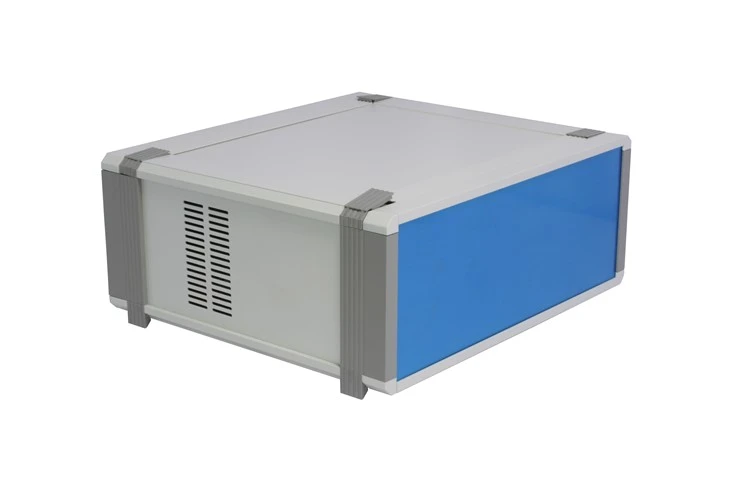
In addition to our high - quality 1U server racks, we also offer a range of related products that can enhance the performance and functionality of your server infrastructure. For example, we have the Sheet metal Aluminium Enclosure Raspberry Pi 4 Case, which provides a secure and protective housing for Raspberry Pi 4 devices. Our Aluminum Profiles Communication Industry Electronic Medical Equipment Testing Chassis Enclosure is ideal for communication and medical equipment testing. And the Electronic Instrument Cabinet Housing Chassis Box Sheet Metal Enclosures are perfect for housing electronic instruments.
Conclusion
Proper alignment of servers in a 1U server rack is a critical aspect of maintaining a reliable and efficient server infrastructure. By following the steps and best practices outlined in this blog post, you can ensure that your servers are correctly aligned, which will lead to improved performance, reduced downtime, and lower maintenance costs. If you have any questions about our 1U server racks or need assistance with server alignment, please feel free to contact us for a detailed discussion and potential procurement.
References
- Data Center Handbook: Best Practices for Design, Operation, and Maintenance.
- Server Rack Installation Guide provided by industry standards organizations.


