


As a supplier of 4U Server Chassis, I understand the importance of maintaining these crucial components to ensure optimal performance. A clean 4U Server Chassis not only enhances the longevity of the server but also helps in preventing overheating and other hardware - related issues. In this blog, I'll share a comprehensive guide on how to clean the inside of a 4U Server Chassis.
Preparation
Before you start cleaning the inside of a 4U Server Chassis, it's essential to gather the necessary tools. You will need a can of compressed air, a soft - bristled brush (such as a paintbrush), a microfiber cloth, and an anti - static wrist strap. The anti - static wrist strap is crucial as it helps prevent electrostatic discharge (ESD) that can damage sensitive electronic components inside the chassis.
It's also important to power off the server and unplug it from the electrical outlet. This reduces the risk of electrical shock and protects the components from potential damage during the cleaning process.
Removing the Chassis Cover
Most 4U Server Chassis have a removable cover. Usually, there are screws on the back or sides of the chassis that hold the cover in place. Use a screwdriver to remove these screws carefully. Place the screws in a small container to avoid losing them. Once the screws are removed, gently slide or lift off the cover, depending on the design of the chassis.
Cleaning the Dust
One of the primary reasons for cleaning a 4U Server Chassis is to remove dust. Dust can accumulate on the components over time, blocking air vents and causing the server to overheat.

Using Compressed Air
Hold the can of compressed air upright and about 2 - 3 inches away from the components. Start by blowing air into the air vents on the chassis. This will dislodge any large dust particles that may be blocking the airflow. Then, direct the stream of compressed air towards other components such as the motherboard, hard drives, and fans. Use short, controlled bursts of air to avoid blowing dust deeper into the components.
When cleaning the fans, be careful not to spin the blades too fast. You can use a small piece of cardboard or a stick to hold the blades in place while blowing air on them. This helps prevent damage to the fan motor.
Soft - Bristled Brush
After using compressed air, there may still be some stubborn dust particles. This is where the soft - bristled brush comes in handy. Gently brush the components to remove any remaining dust. Be very careful when brushing around delicate components like the RAM modules and the CPU. Avoid applying too much pressure, as this could damage the pins or other parts.
Cleaning the Components
Motherboard
The motherboard is the heart of the server, and it requires special attention. Use the compressed air and the soft - bristled brush to clean the surface of the motherboard. Pay close attention to the areas around the sockets, connectors, and capacitors. If there are any visible stains or debris that cannot be removed with air and a brush, you can use a small amount of isopropyl alcohol on a microfiber cloth. Dampen the cloth slightly and gently wipe the affected areas. Make sure the motherboard is completely dry before reassembling the server.
Hard Drives
Hard drives are also sensitive components. Use compressed air to blow away any dust from the surface and the air vents of the hard drives. Avoid touching the platters inside the hard drive as they are extremely delicate. If there is any dust on the hard drive connectors, use a soft - bristled brush to clean them gently.
Fans
Fans play a vital role in keeping the server cool. In addition to using compressed air and a brush to clean the blades and the housing of the fans, you can also check the fan bearings. If the fan makes a noisy or rattling sound, it may indicate a problem with the bearings. In some cases, you may need to replace the fan.
Cleaning the Chassis Interior
After cleaning the components, it's time to clean the interior of the chassis itself. Use a microfiber cloth dampened with a mild cleaning solution to wipe down the sides, bottom, and top of the chassis. Make sure to remove any fingerprints, dust, or dirt. Pay special attention to the areas where the components are mounted, as these areas may have accumulated grease or debris.
Reassembling the Server
Once the chassis and all the components are clean and dry, it's time to reassemble the server. Carefully place the components back in their original positions. Connect all the cables and wires securely, making sure they are not tangled or pinched. Then, put the cover back on the chassis and tighten the screws.
Benefits of Regular Cleaning
Regularly cleaning the inside of a 4U Server Chassis offers several benefits. Firstly, it improves the server's performance by ensuring proper airflow and preventing overheating. Overheating can cause components to fail prematurely, leading to costly repairs or replacements.
Secondly, it extends the lifespan of the server. By removing dust and debris, you reduce the wear and tear on the components. This means that the server can operate more efficiently for a longer period.
Finally, a clean server is more reliable. It is less likely to experience unexpected downtime due to hardware failures, which is crucial for businesses that rely on their servers for day - to - day operations.
Related Products
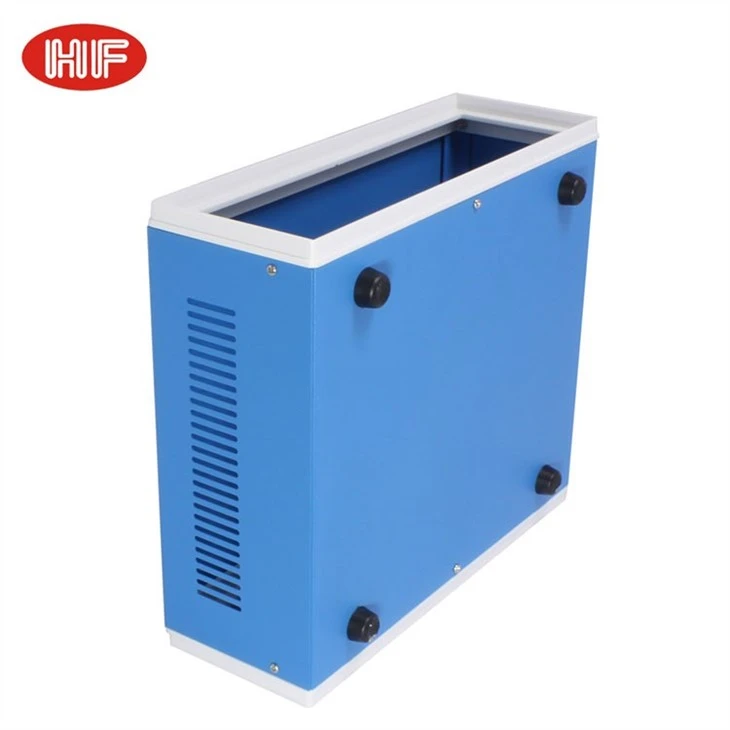
If you are interested in other server - related products, we also offer Electronic Iron Metal Project Box With Plastic Frame, which is a great option for housing various electronic components. The Aluminum Motherboard Rack Computer Server Case provides a sturdy and stylish solution for your server needs. And for those looking for high - quality aluminum extruded housings, our Factory Suppliers Aluminum Extruded Electronic Housing Electronic Devices are an excellent choice.
Contact for Purchase and Negotiation
If you are considering purchasing a 4U Server Chassis or have any questions about server maintenance, feel free to reach out to us. We are always ready to discuss your specific requirements and offer the best solutions for your business.
References
- "Server Hardware Maintenance Guide", Server Technology Handbook, 2022 Edition.
- "Best Practices for Cleaning Electronic Equipment", Electronics Maintenance Journal, Volume 15, Issue 3.


